Guide · 2026
Best Capacity Planning Tools for Software Delivery (2026)
Capacity planning sounds simple.
Can we take on this project or not?
In reality, it’s one of the hardest problems in software delivery.
Most teams still rely on spreadsheets, gut feeling, or static plans — and that’s exactly why projects slip, teams burn out, and timelines drift.
Modern capacity planning tools try to fix this by giving you visibility into:
- who is available
- what they’re working on
- what happens if priorities change
But not all tools solve the same problem.
Some are great at visualizing capacity.
Others are better at forecasting.
Very few actually connect planning with execution.
This guide breaks down the best tools available today — and where each one fits.
Quick comparison
| Tool | Best for | Strength | Limitation |
|---|---|---|---|
| Motionode | Execution-driven planning | Dynamic plans, auto-updating timelines | New category |
| Runn | Forecasting & scenarios | Strong future capacity modeling | Weak execution layer |
| Float | Visual scheduling | Clean UI, easy planning | Manual updates required |
| Resource Guru | Simplicity | Easy scheduling, affordable | Limited forecasting |
| Scoro | PSA / agencies | Planning + financials | Heavy / complex |
1. Motionode — best for execution-driven capacity planning
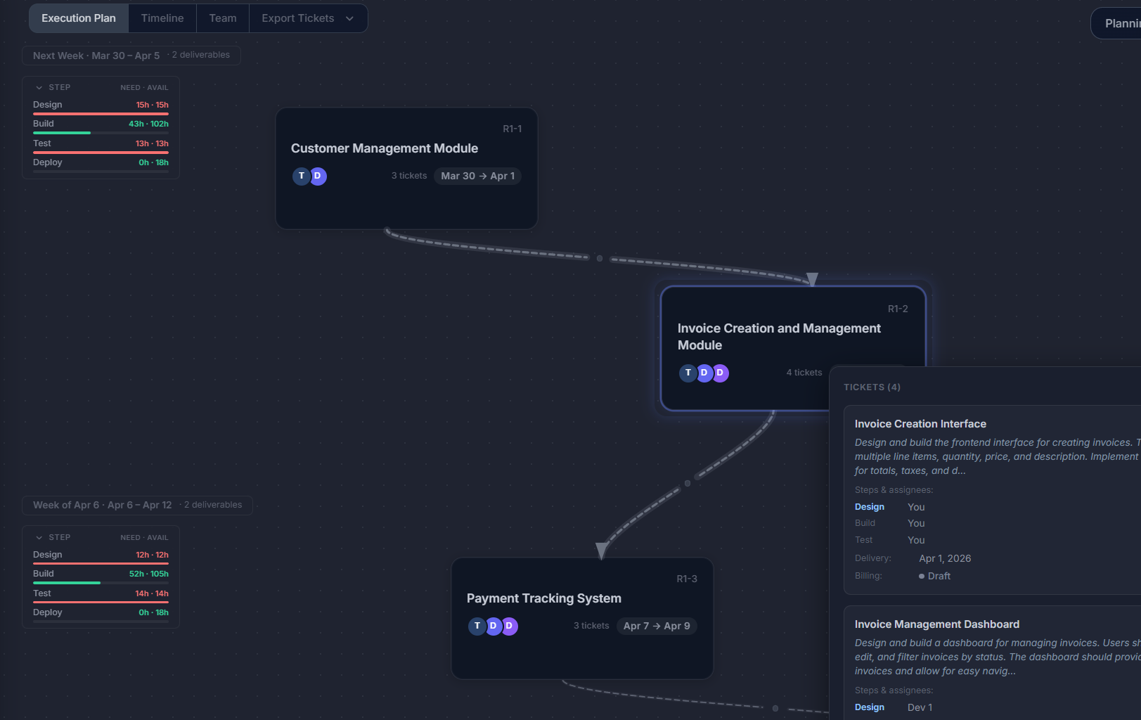
Instead of planning capacity in isolation, Motionode treats planning as a live system.
You don’t just assign people to tasks.
You generate a delivery model that includes:
- tickets
- dependencies
- timelines
- team allocation
And when something changes, everything updates automatically.
This is the key difference.
Most tools show you capacity.
Motionode reacts to changes in it.
What makes it different
- Plans are not static — they evolve with changes
- You can edit the plan via chat (AI-assisted)
- Tickets stay aligned with the timeline
- You can export directly to Jira / Asana
This removes the biggest problem in capacity planning:
the disconnect between planning and execution
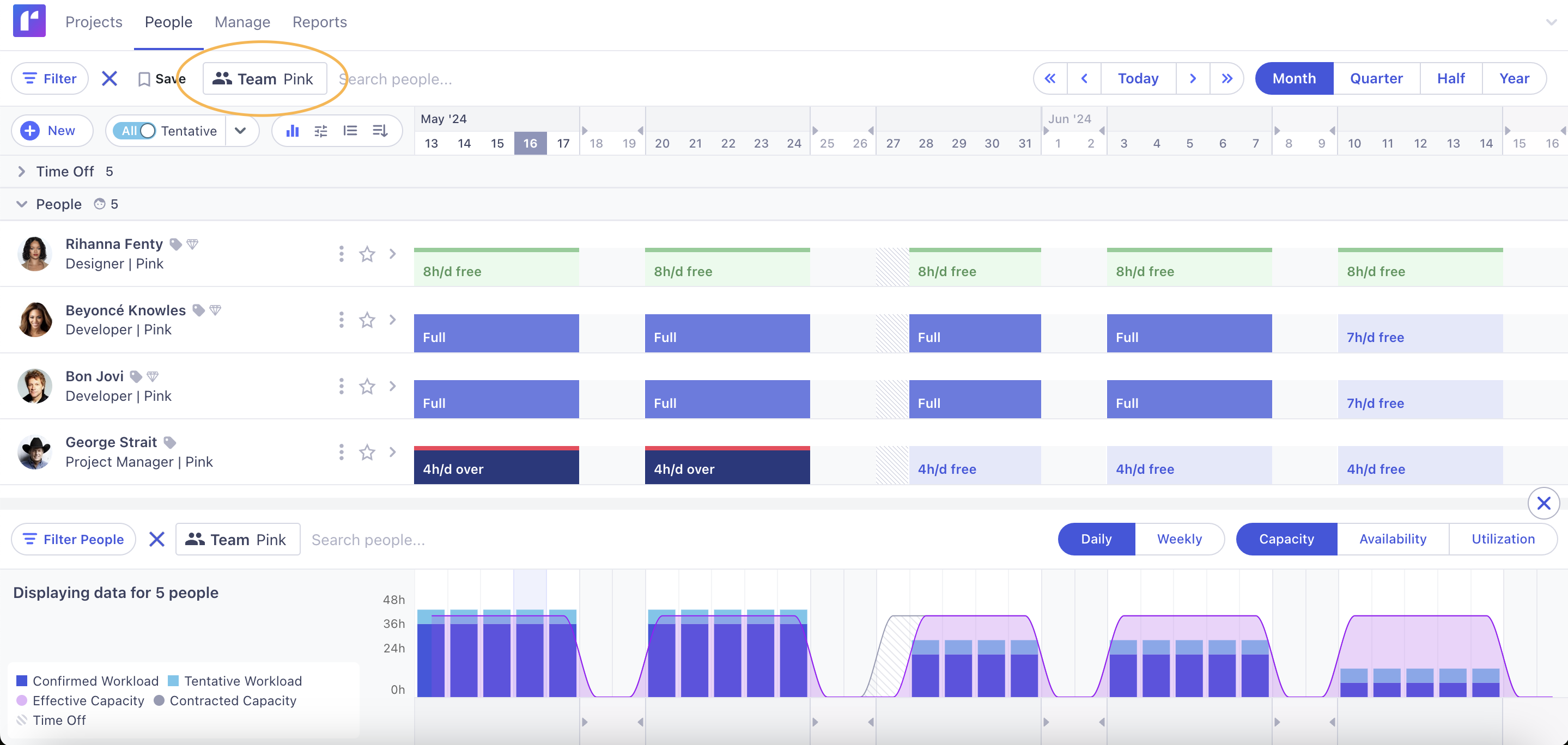
2. Runn — best for forecasting and scenario planning
Runn focuses on answering one question:
What will our capacity look like in the future?
It’s strong for:
- forecasting workload across weeks/months
- modeling hiring needs
- testing different staffing scenarios
Teams use it to understand:
- when they’ll run out of capacity
- which roles are overloaded
- whether they can take on new work
It’s especially useful for agencies and project-based teams where resource forecasting is critical.
Limitation
It doesn’t deeply connect to execution.
You still need another tool (Jira, etc.) to actually run the work.
3. Float — best for visual capacity planning
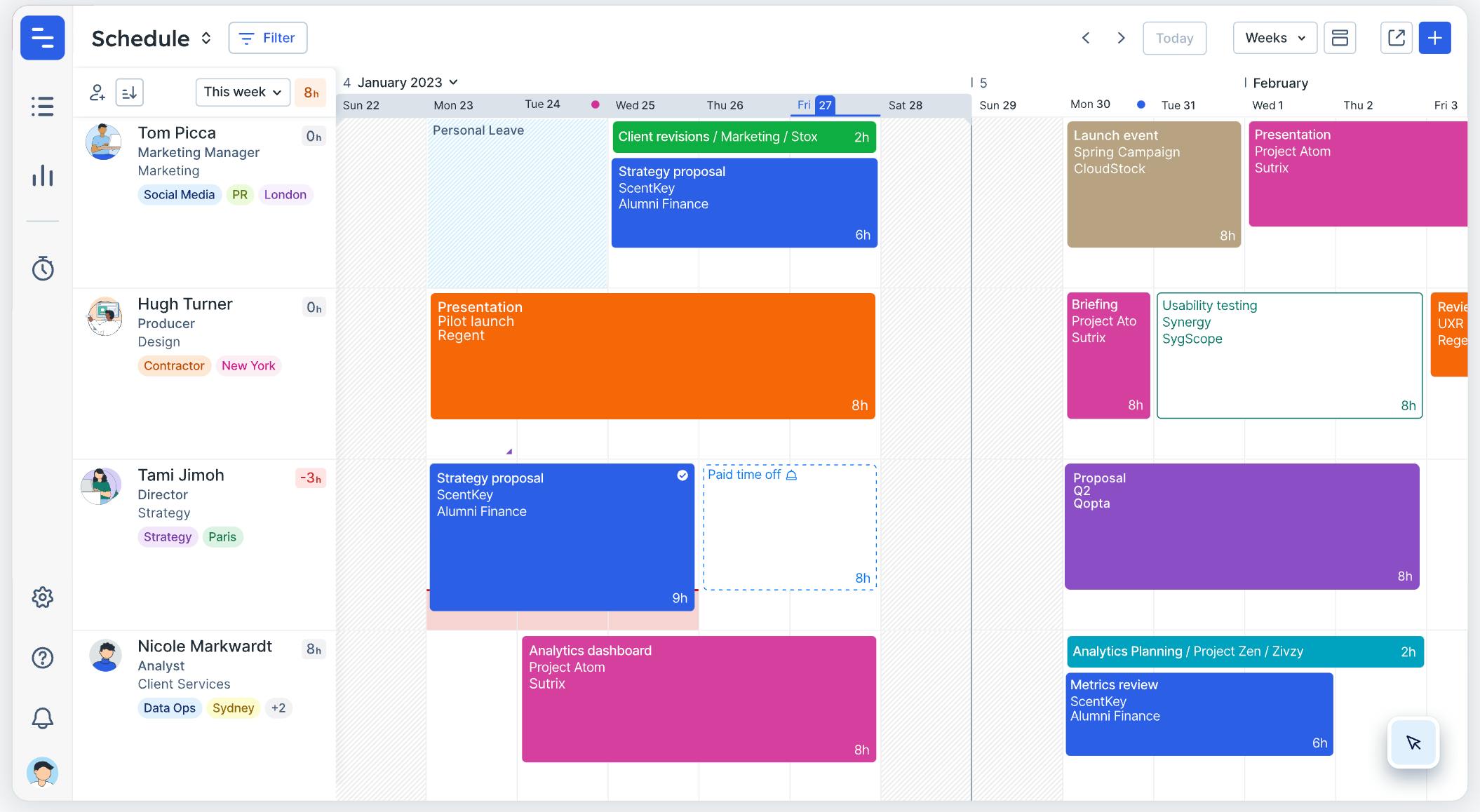
Float is one of the cleanest tools for visual scheduling.
It helps you:
- assign people to projects
- see availability
- track utilization
It’s popular because it’s simple and intuitive.
You can quickly understand:
- who is overloaded
- who has availability
- how projects overlap
Float also supports forecasting and utilization tracking, helping teams align resources with demand.
Limitation
Everything is still manual.
When priorities change, someone has to:
- move tasks
- rebalance timelines
- fix dependencies
4. Resource Guru — best for simple scheduling
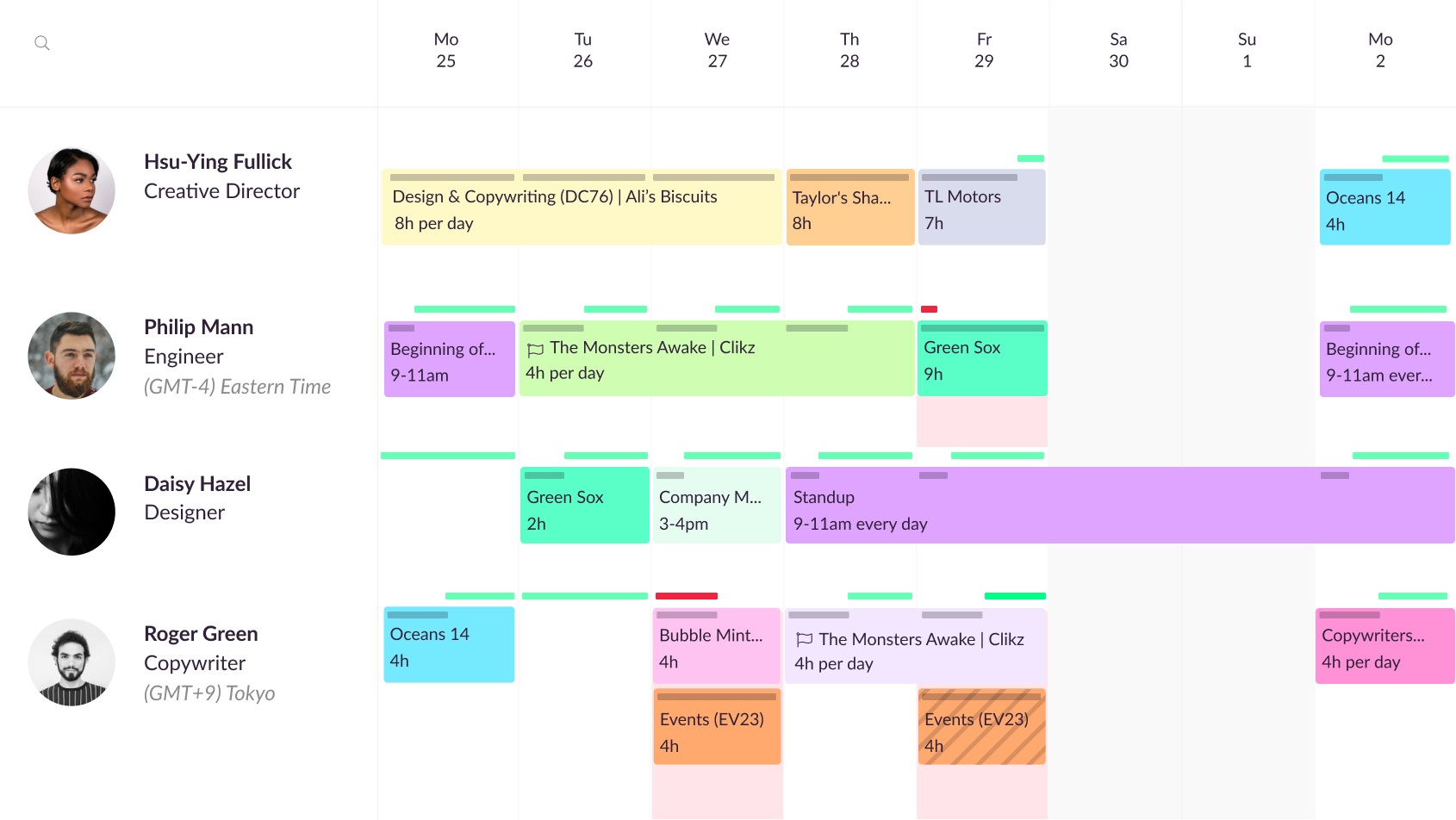
Resource Guru focuses on simplicity.
It’s great if you need:
- a lightweight scheduling tool
- quick visibility into availability
- conflict detection (overbooking, clashes)
It’s also one of the most affordable tools in this category.
Limitation
It’s not designed for:
- complex delivery systems
- forecasting
- dynamic replanning
5. Scoro — best for agencies and financial planning
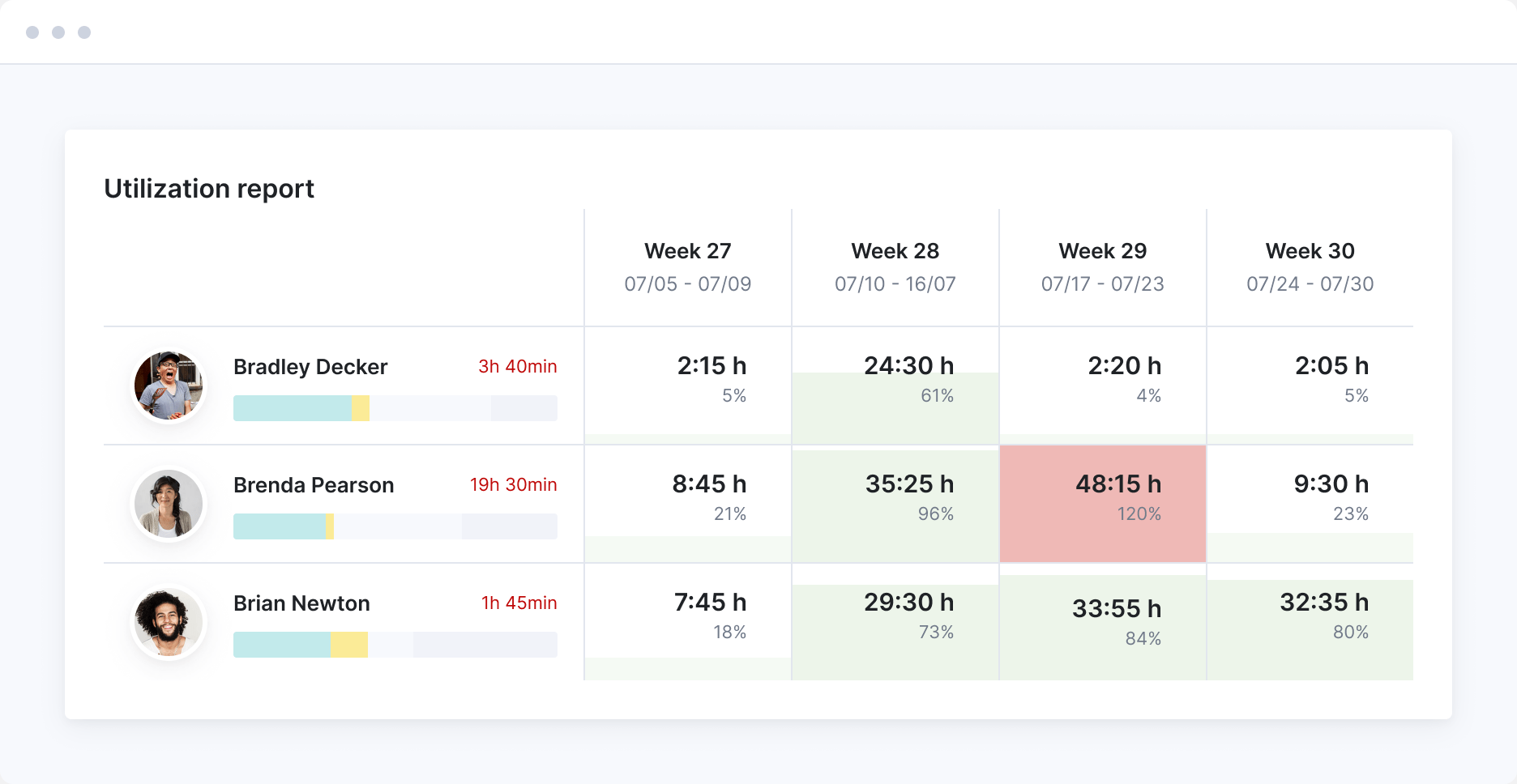
Scoro combines:
- project management
- capacity planning
- financial tracking
It’s strong for organizations that care about:
- utilization
- profitability
- quote → project → delivery flow
It even connects proposals to execution plans and resource allocation.
Limitation
It’s heavier and more complex.
Better for structured organizations than fast-moving product teams.
The real difference between these tools
Most capacity planning tools solve this:
“Who is available and when?”
But software delivery problems come from something else:
“What happens when things change?”
Because they always do.
- tasks take longer
- priorities shift
- dependencies break
- new work appears
Traditional tools don’t adapt well to this.
That’s why teams spend hours:
- reshuffling timelines
- updating tickets
- recalculating capacity
What actually works
The teams that handle capacity well don’t rely on static plans.
They rely on systems where:
- changes propagate automatically
- dependencies stay intact
- timelines adjust themselves
Not a plan.
A model.
Simple rule
If your capacity plan requires constant manual updates to stay accurate:
It’s not a capacity system.
It’s a spreadsheet with a UI.
TL;DR
- Capacity planning tools help you understand your limits
- Most tools visualize capacity, but don’t manage change
- The biggest gap is between planning and execution
- New approaches focus on dynamic systems instead of static timelines