Guide · 2026
Best Software Delivery Planning Tools (2026)
Planning software delivery is no longer just about timelines.
It’s about answering a harder question:
Can this project actually be executed the way it’s planned?
Most teams can create a plan.
Very few can keep that plan aligned with reality once execution starts.
That’s why delivery planning tools matter — not just for visualization, but for how they handle:
- dependencies
- team capacity
- sequencing
- and change
What to look for in a delivery planning tool
Not all tools solve the same problem.
Some help you visualize plans.
Others help you forecast capacity.
A few help you execute what you planned.
The best tools should:
- Connect planning to execution
- Handle dependencies and sequencing
- Reflect real team capacity
- Update when things change
- Avoid duplication between plan and tickets
If your plan and execution live in different systems, they will drift.
Quick comparison
| Tool | Best for | Strength | Limitation |
|---|---|---|---|
| Motionode | Execution-driven planning | Dynamic plans, auto-updating system | New category |
| Jira Advanced Roadmaps | Enterprise planning | Deep configuration | Complex, manual |
| ClickUp | All-in-one workflows | Flexible, visual | Weak dependency logic |
| Notion | Lightweight planning | Simple, collaborative | No execution model |
| Asana | Cross-team coordination | Easy timelines | Manual updates |
| Monday Dev | Visual workflows | Automations, dashboards | Shallow planning logic |
| Runn | Capacity forecasting | Scenario planning | Not execution-focused |
| Float | Resource scheduling | Visual capacity planning | Manual updates |
| Smartsheet | Spreadsheet-style planning | Familiar, powerful | Static plans |
1. Motionode — best for execution-driven delivery planning
Best for: Teams that want the plan to stay tied to tickets, capacity, and client-facing outputs
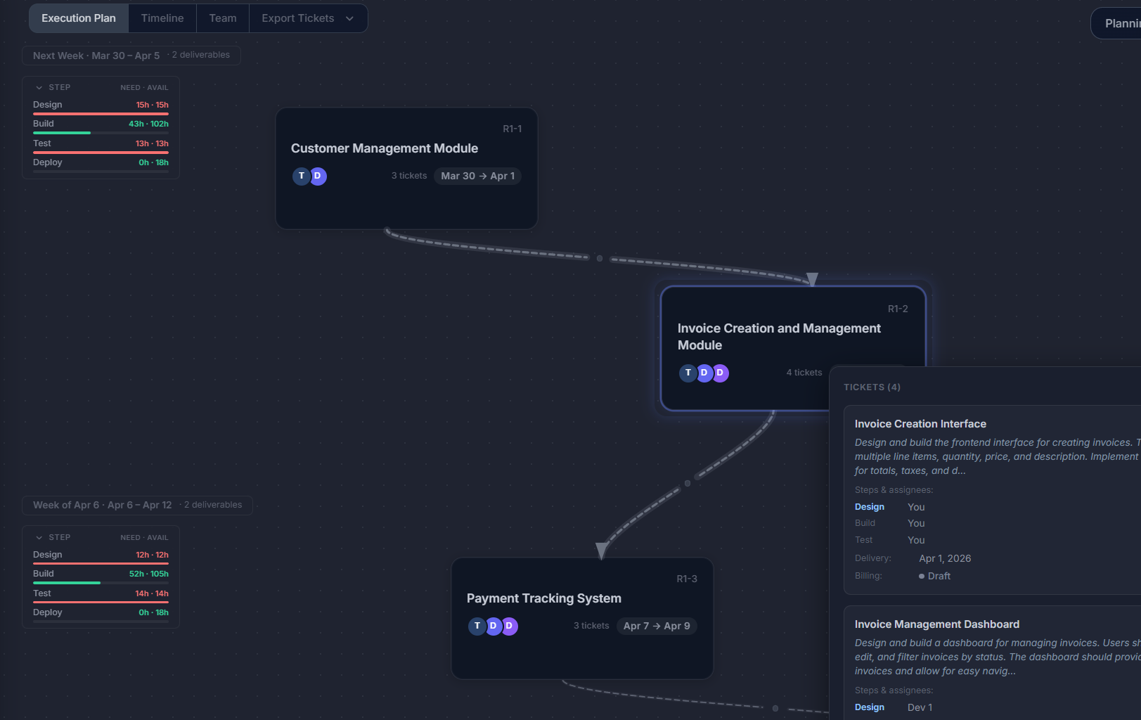
Motionode approaches planning differently.
Instead of creating a static plan, it builds a delivery model.
From that model, it generates:
- timelines
- tickets
- team schedules
- proposals
All connected.
So when something changes, everything updates automatically.
Key advantages:
- Plan, tickets, and timeline come from the same structure
- Dependencies are preserved
- Capacity is accounted for
- Changes propagate instantly
- Export to Jira, Asana, Monday, etc.
This addresses the biggest gap in delivery planning: the disconnect between planning and execution.
2. Jira Advanced Roadmaps
Best for: Enterprise teams already using Jira
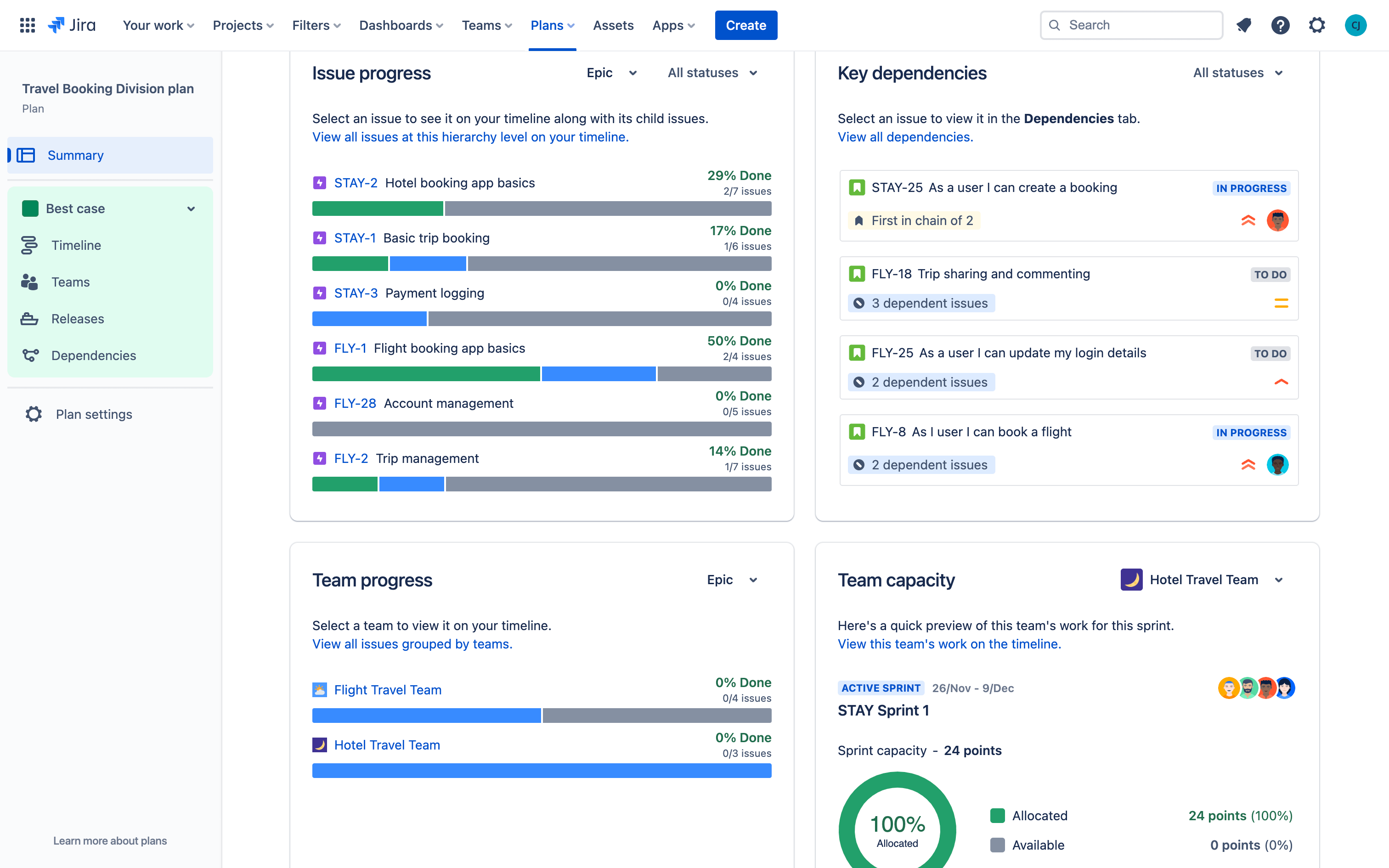
Advanced Roadmaps allows:
- multi-team planning
- dependency mapping
- timeline forecasting
Pros:
- Deep customization
- Strong integration with Jira
Cons:
- Complex to set up
- Requires manual maintenance
- Plans don’t update automatically
3. ClickUp
Best for: Teams wanting everything in one place
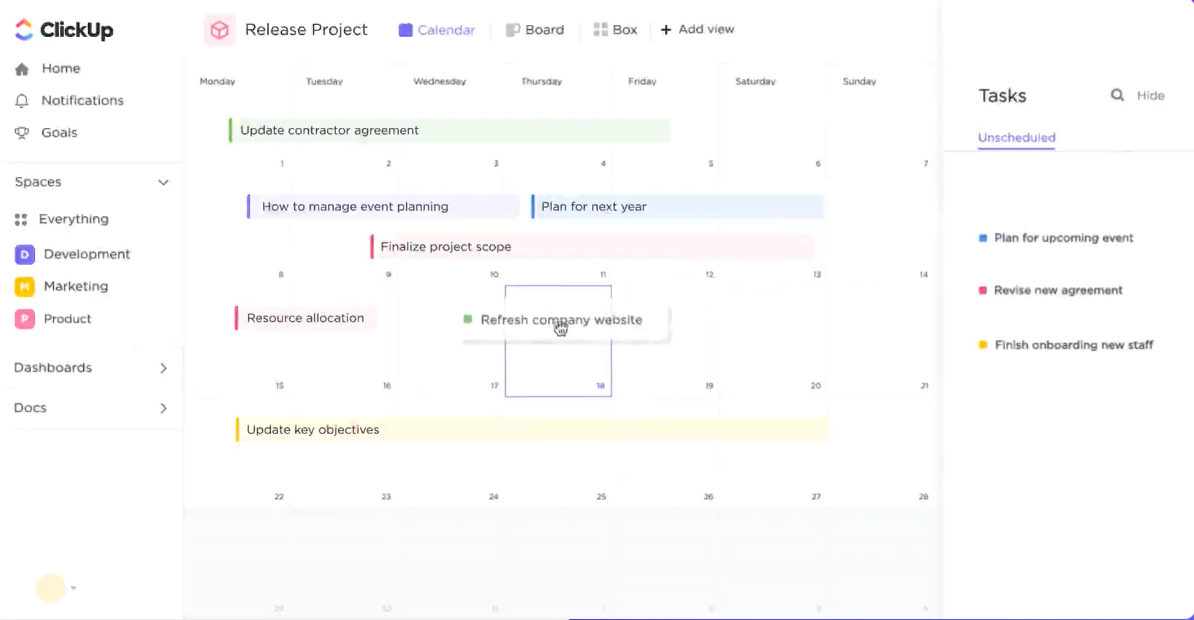
ClickUp combines:
- docs
- tasks
- timelines
Pros:
- Flexible
- Visual
- Many features
Cons:
- Dependencies are limited
- Planning logic is weak
- Requires manual updates
4. Notion
Best for: Simple, documentation-driven planning
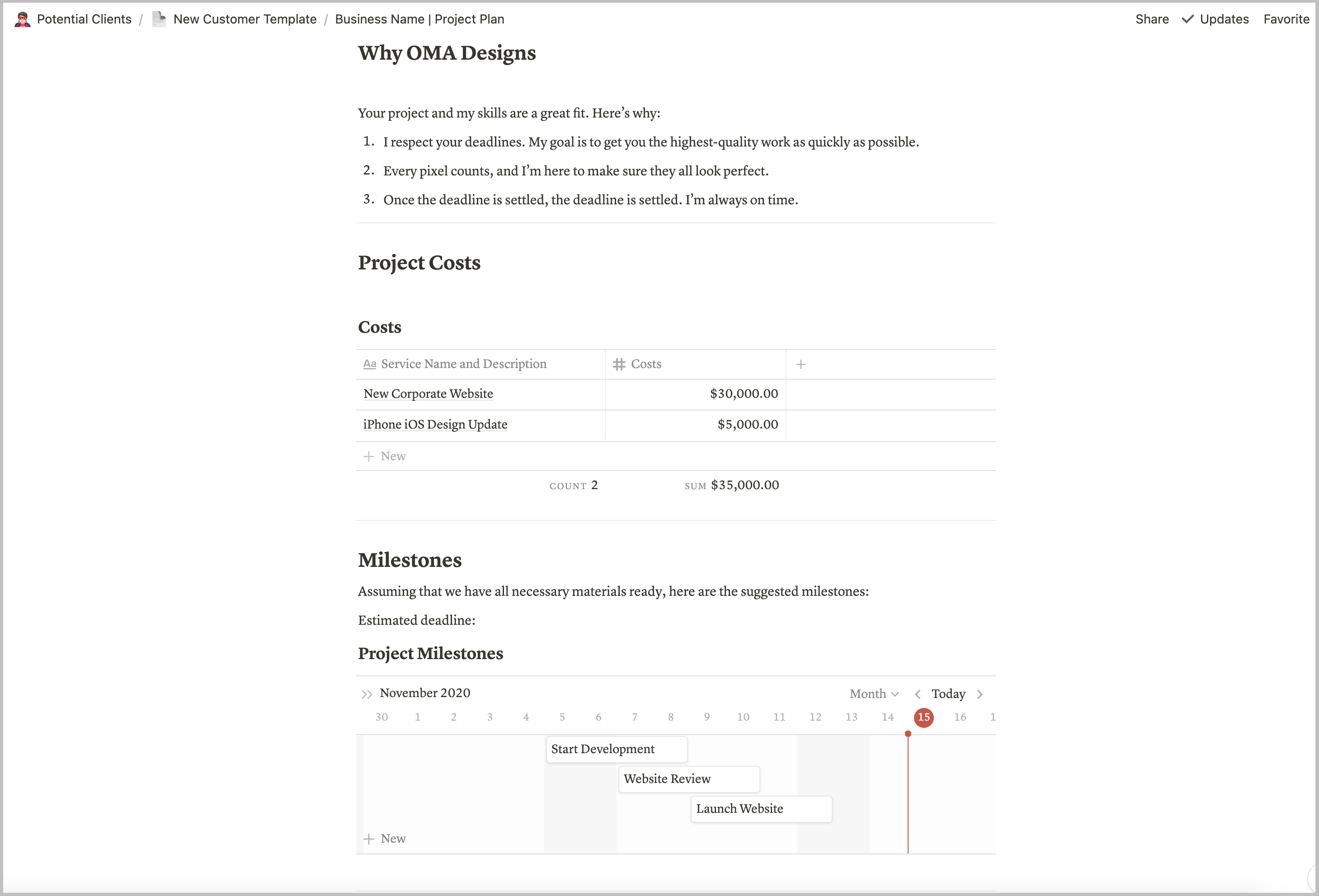
Notion is widely used for:
- writing specs
- organizing work
Pros:
- Flexible
- Easy to use
Cons:
- No timeline engine
- No capacity logic
- Execution is disconnected
5. Asana
Best for: Cross-functional planning
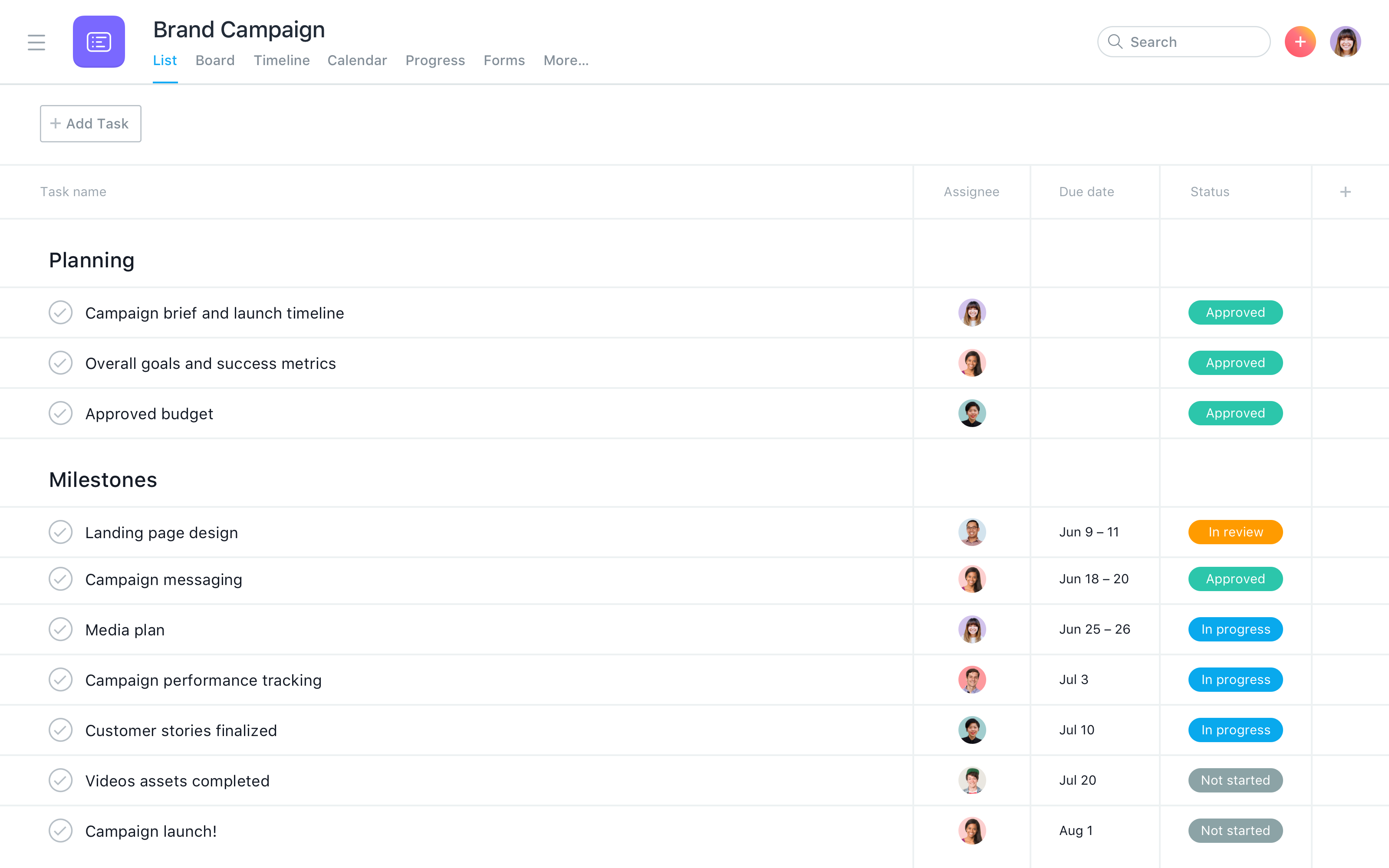
Asana provides:
- timelines
- task tracking
- collaboration
Pros:
- Easy to adopt
- Good for coordination
Cons:
- Manual updates
- Limited dependency depth
- No execution model
6. Monday Dev
Best for: Visual planning with automation
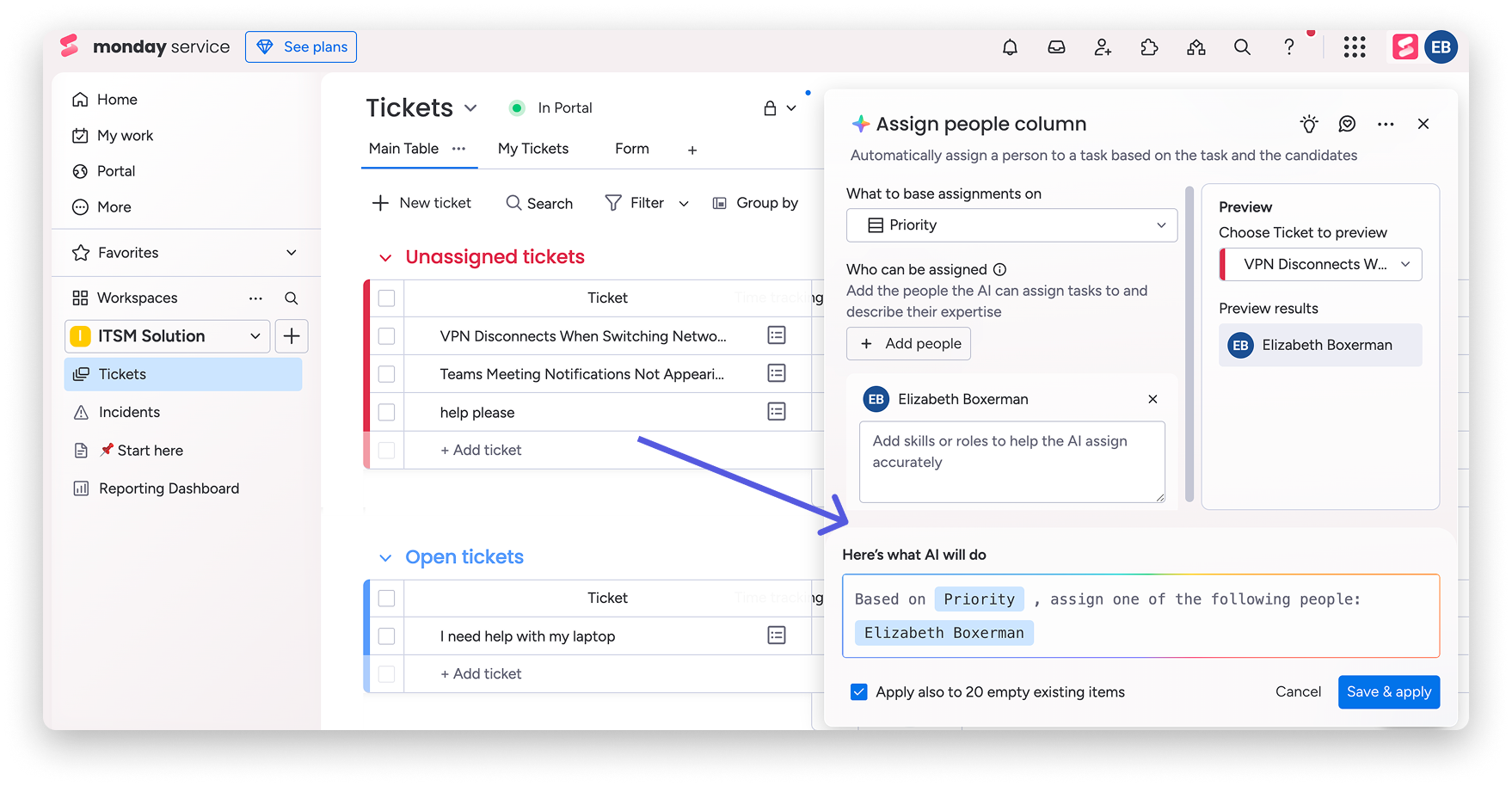
Monday Dev offers:
- boards
- timelines
- automation
Pros:
- Visual
- Customizable
Cons:
- Planning logic is shallow
- Still manual underneath
7. Runn
Best for: Capacity forecasting
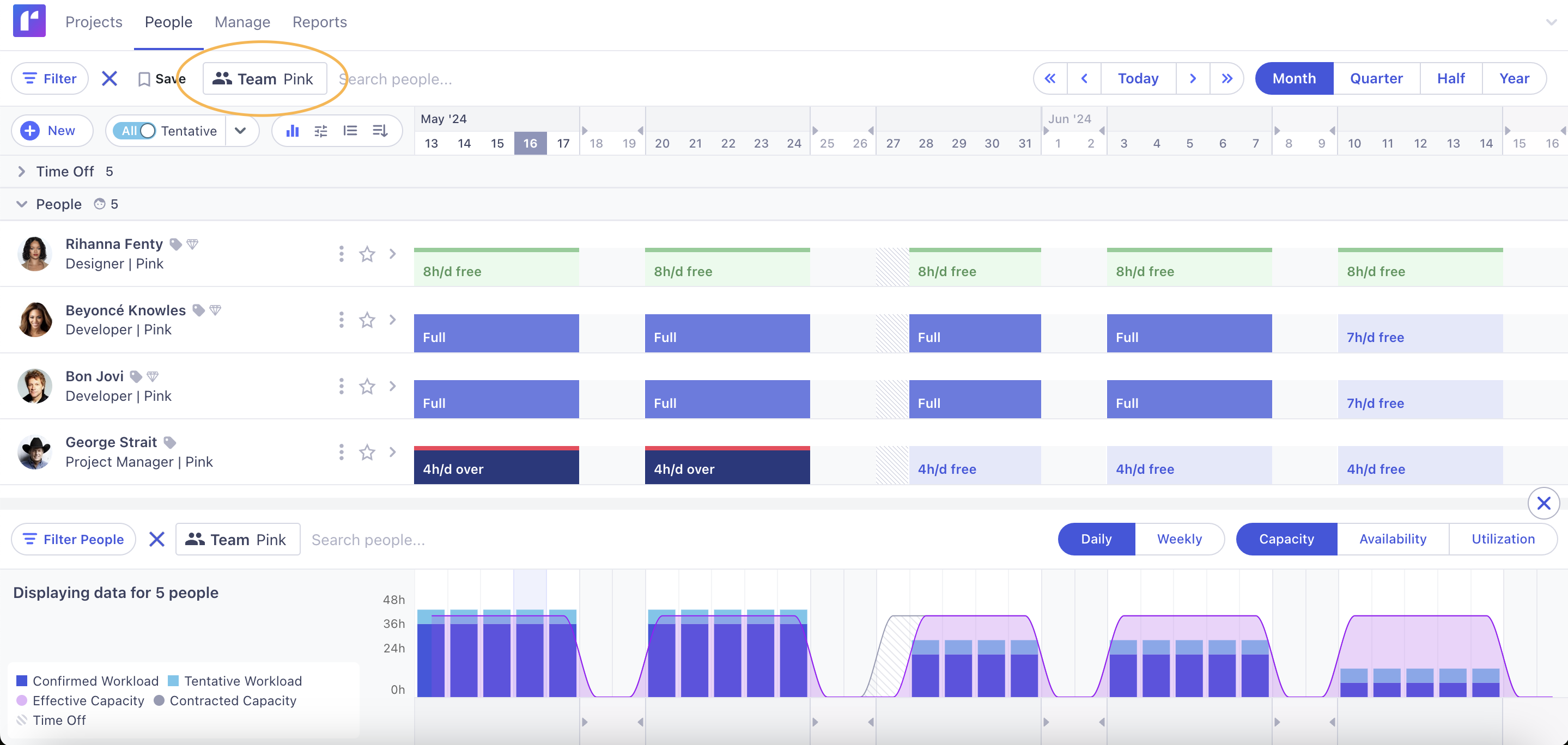
Runn focuses on:
- future workload
- staffing scenarios
Pros:
- Strong forecasting
- Good for agencies
Cons:
- Not execution-focused
- Needs other tools
8. Float
Best for: Resource scheduling
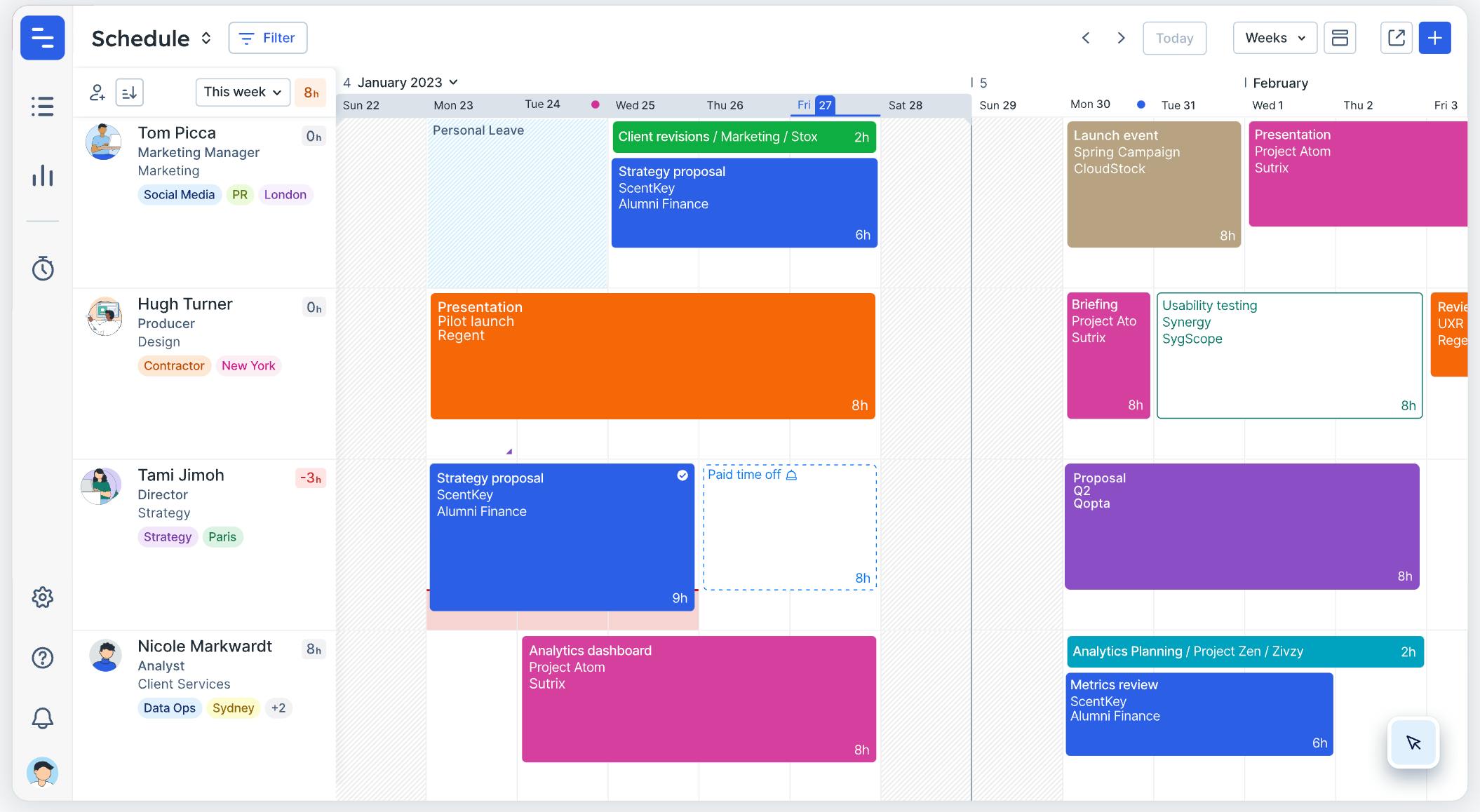
Float helps with:
- assigning people
- tracking availability
Pros:
- Clean UI
- Easy to use
Cons:
- Manual updates
- No full delivery model
9. Smartsheet
Best for: Spreadsheet-style planning
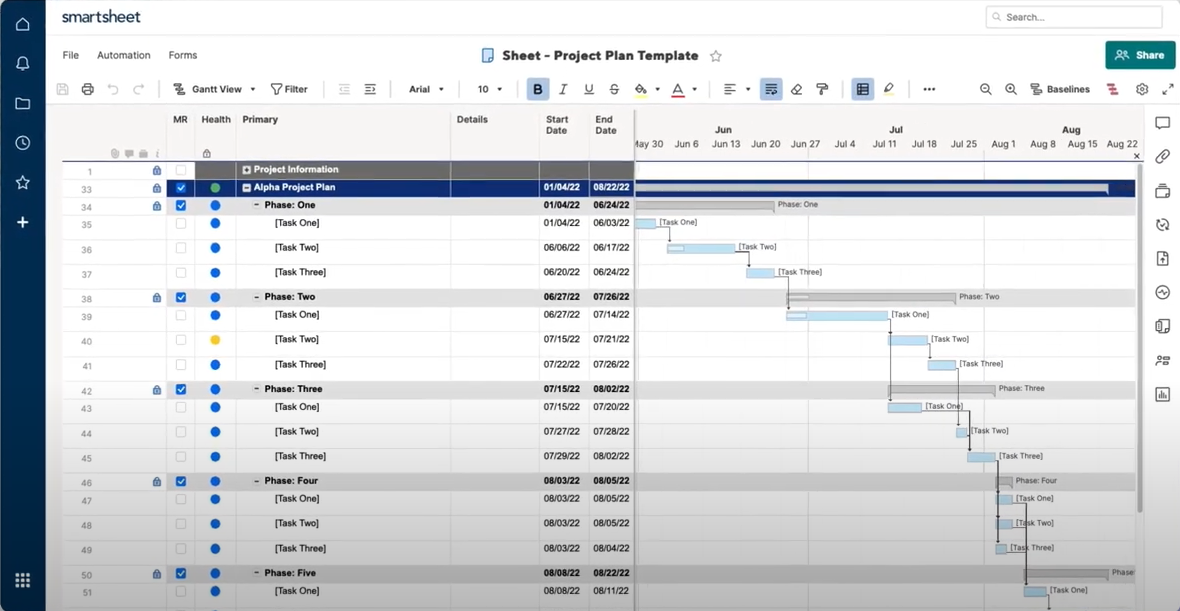
Smartsheet extends spreadsheets into planning tools.
Pros:
- Familiar
- Powerful
Cons:
- Static
- Hard to maintain
- No automation of logic
The real difference between tools
Most delivery planning tools are built around visualizing a plan.
But delivery problems come from something else: managing change.
Because in real projects:
- priorities shift
- dependencies break
- timelines move
- new work appears
A better approach
Instead of creating a plan and maintaining it manually, move to a system where the plan updates itself when scope, capacity, or dependencies change.
That means:
- one structure
- multiple outputs
- automatic updates
Simple rule
If your delivery plan requires constant manual updates:
It’s not a delivery system.
It’s a diagram.
TL;DR
- Most tools help you visualize delivery
- Few help you maintain it as reality changes
- The biggest gap is between planning and execution
- New tools focus on dynamic systems instead of static plans